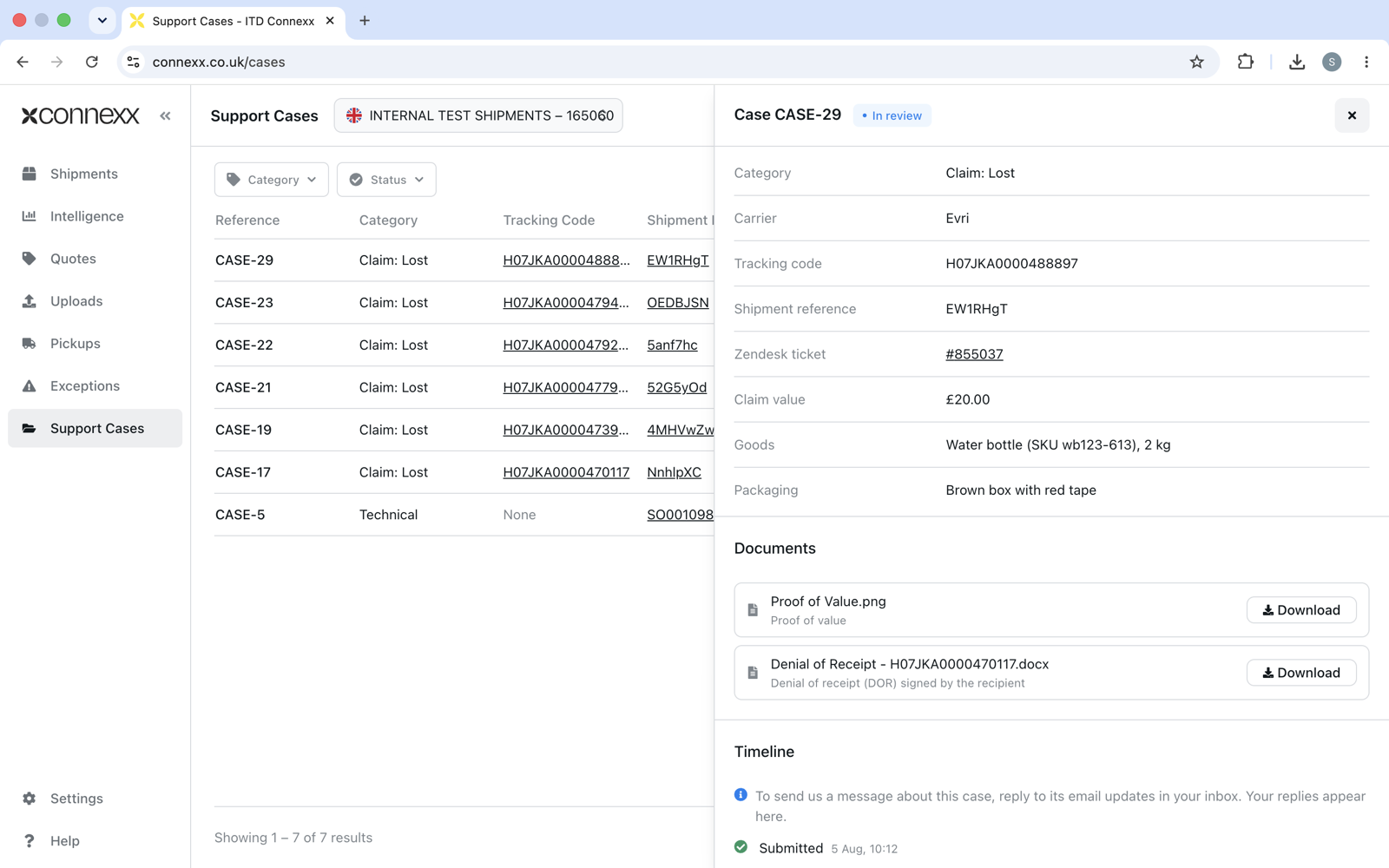
How to Make a Claim on Connexx
If a parcel is lost or arrives damaged, you can submit a claim in Connexx in a couple of minutes. Watch the video below, or follow the steps.
Watch video tutorial
Step by step
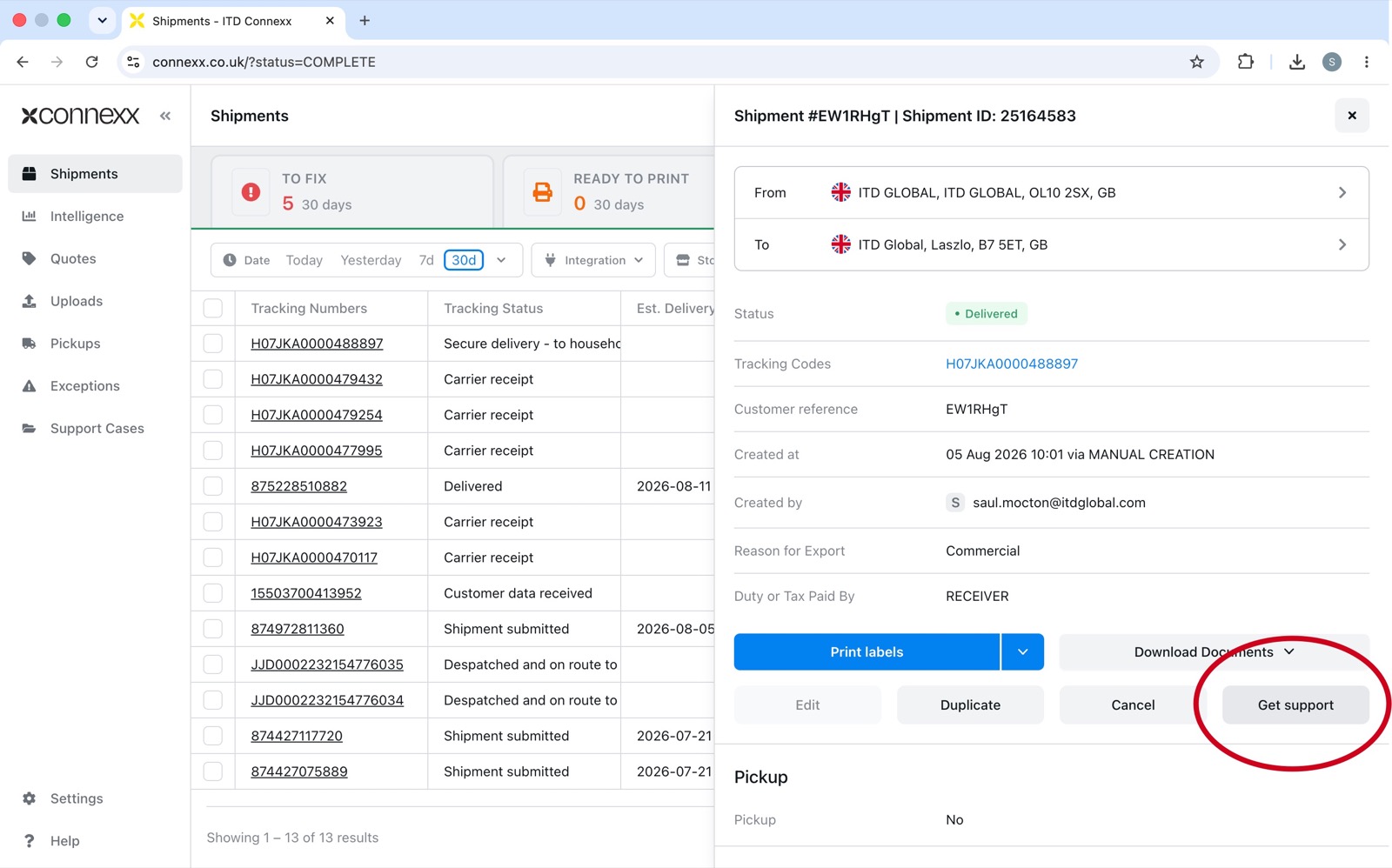
- Select a shipment and click on "Get Support"
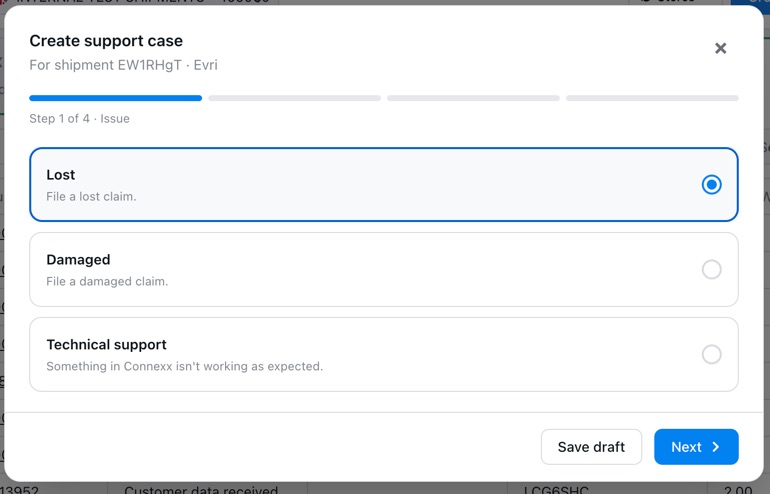
- Choose Lost or Damaged
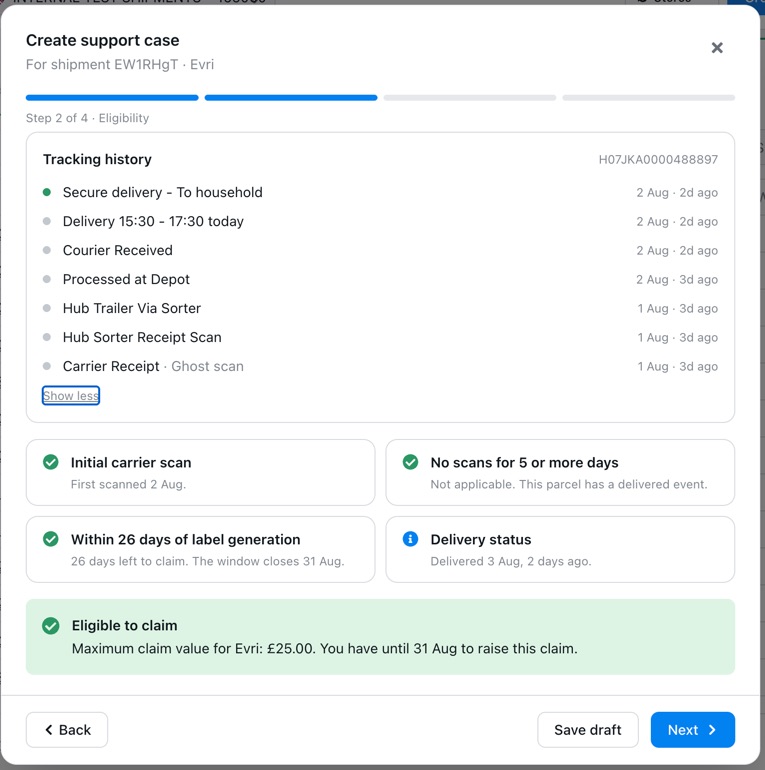
- Confirm eligibility
Connexx checks the parcel's tracking history and confirms your claim can go ahead.
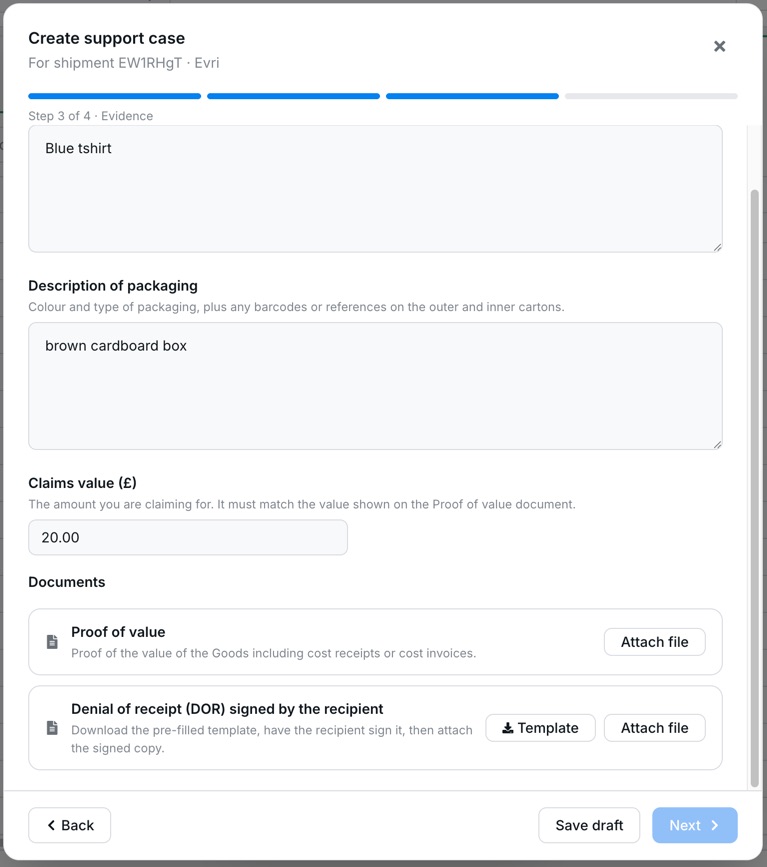
- Fill in the details
Describe the goods and packaging, enter your claim value, and upload supporting evidence such as proof of value.
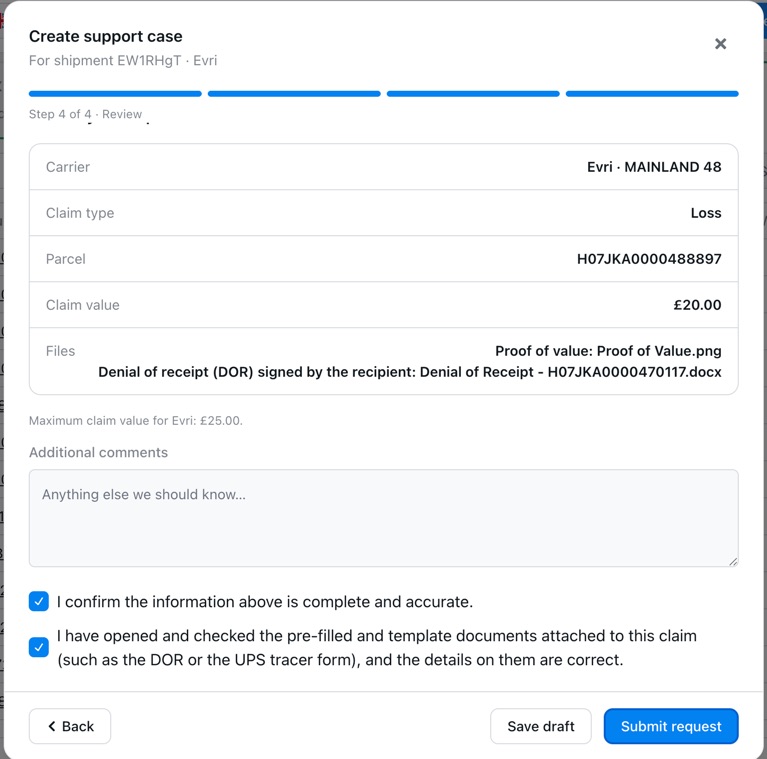
- Review and submit
Check the details and click Submit request. You can also save a draft and finish later.
- Track your claim
Follow your claim on the Support Cases page. We will email you updates, and you can reply to those emails to message the team.